Windows
In this category you will find lessons about Windows operation system.
-

How to add Photo and Video to Instagram from computer
If you are an Instagram user, then you know that this platform does not allow you to add photos and…
Read More » -

How to Use Resource Monitor to Find Which Process Has Locked a File
Many experienced users use the Process Explorer utility from SysInternals to obtain extended information about the processes and applications running…
Read More » -

High CPU utilization by the System process (Ntoskrnl.exe) in Windows
On one of their computers with the newly installed Windows 10, the user began to complain about the constant hangs…
Read More » -

The keyboard does not work on the windows 10 lock screen
Many probably have encountered a very serious problem, when the keyboard does not work when entering a password on the…
Read More » -

How to fix CSR8510 A10 Bluetooth Driver Error on Windows 10 easily
Widnows 10 may lose the ability to connect via CSR Bluetooth, which is usually intended as a radio receiver and…
Read More » -

What is Google Crash Handler in Windows 10 ?
Google Crash Handler – What is this process in Windows 10? The Google Crash Handler is a Google process that…
Read More » -
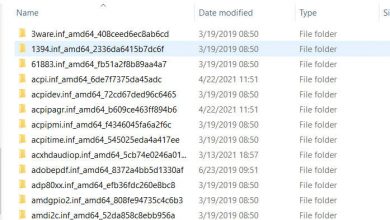
Where are drivers stored in windows 10
Windows 10 stores a large number of necessary drivers for devices such as printers, sound cards, network adapters, etc. so…
Read More » -

How to fix missing codec 0xc00d5212
When opening a video file in the Movie and TV application or Windows Media Player, you may get an error…
Read More » -

What is PUA virus: Win32 / Presenoker and how to remove it in Windows 10
The built-in Windows Security antivirus in Windows 10 detects various threats on your computer and identifies them as a Trojan…
Read More » -
What is Agent.exe process in Windows 10?
You’ve probably come across the Agent.exe process running in the background while booting Windows 10 in Task Manager and wondered:…
Read More »